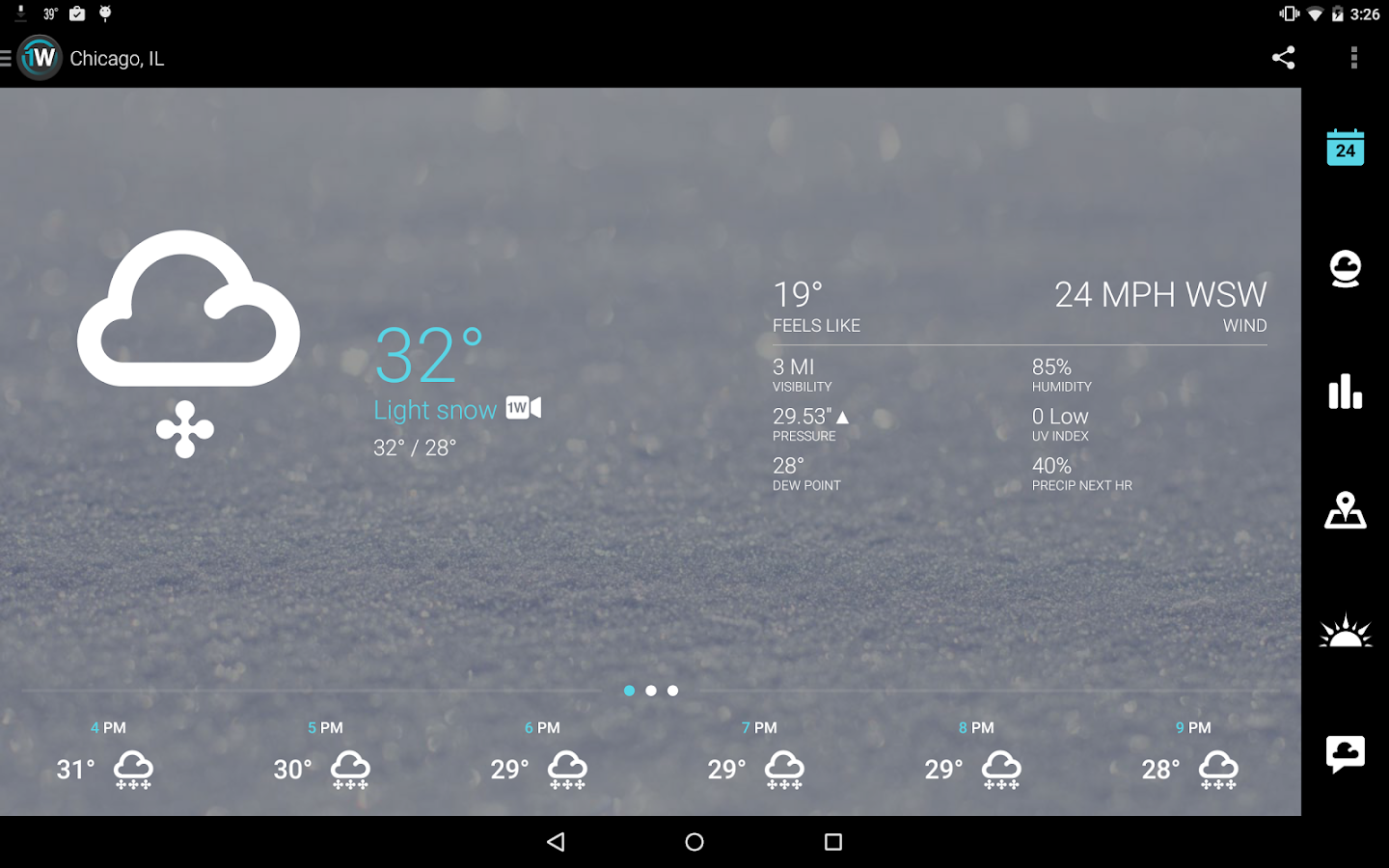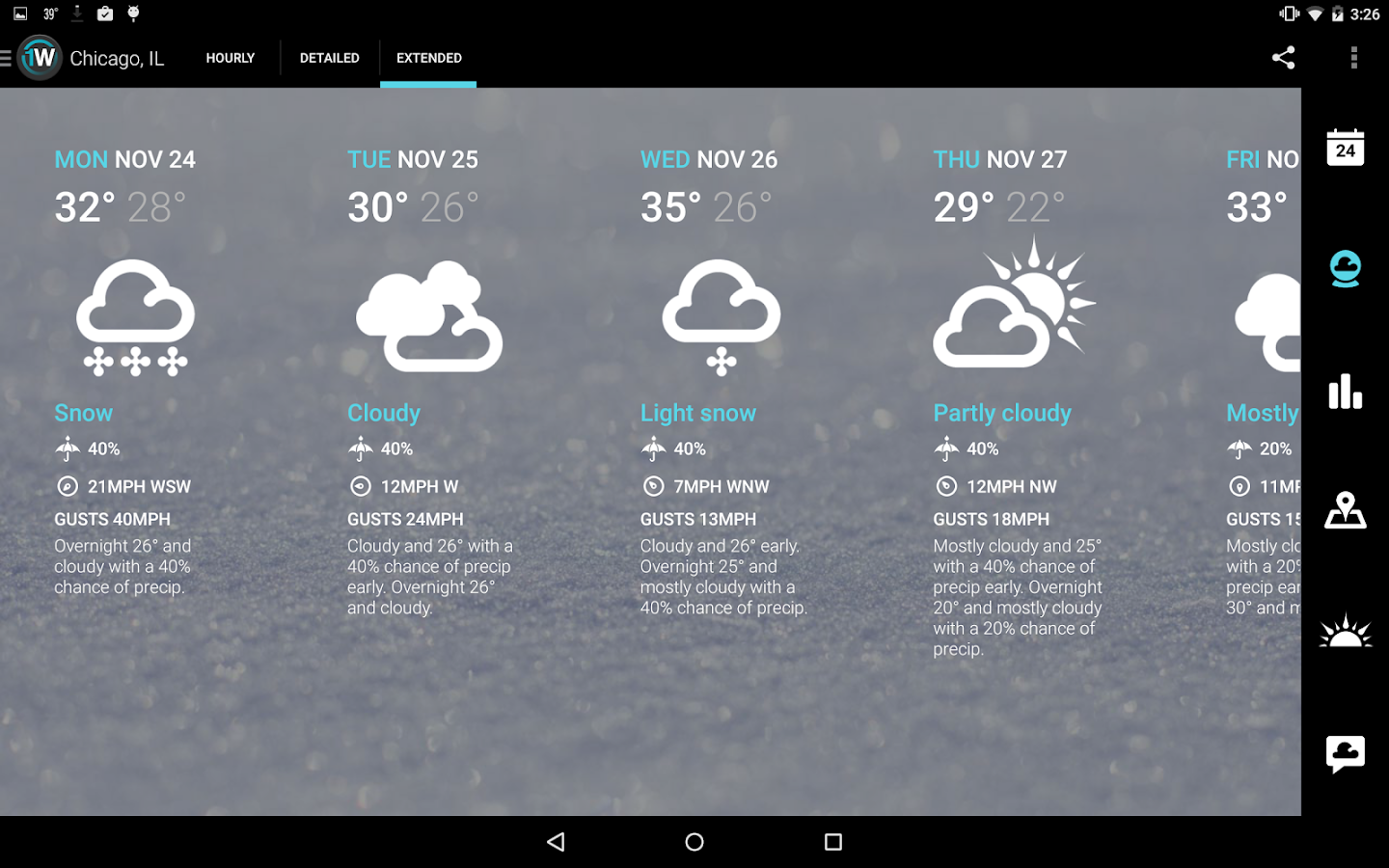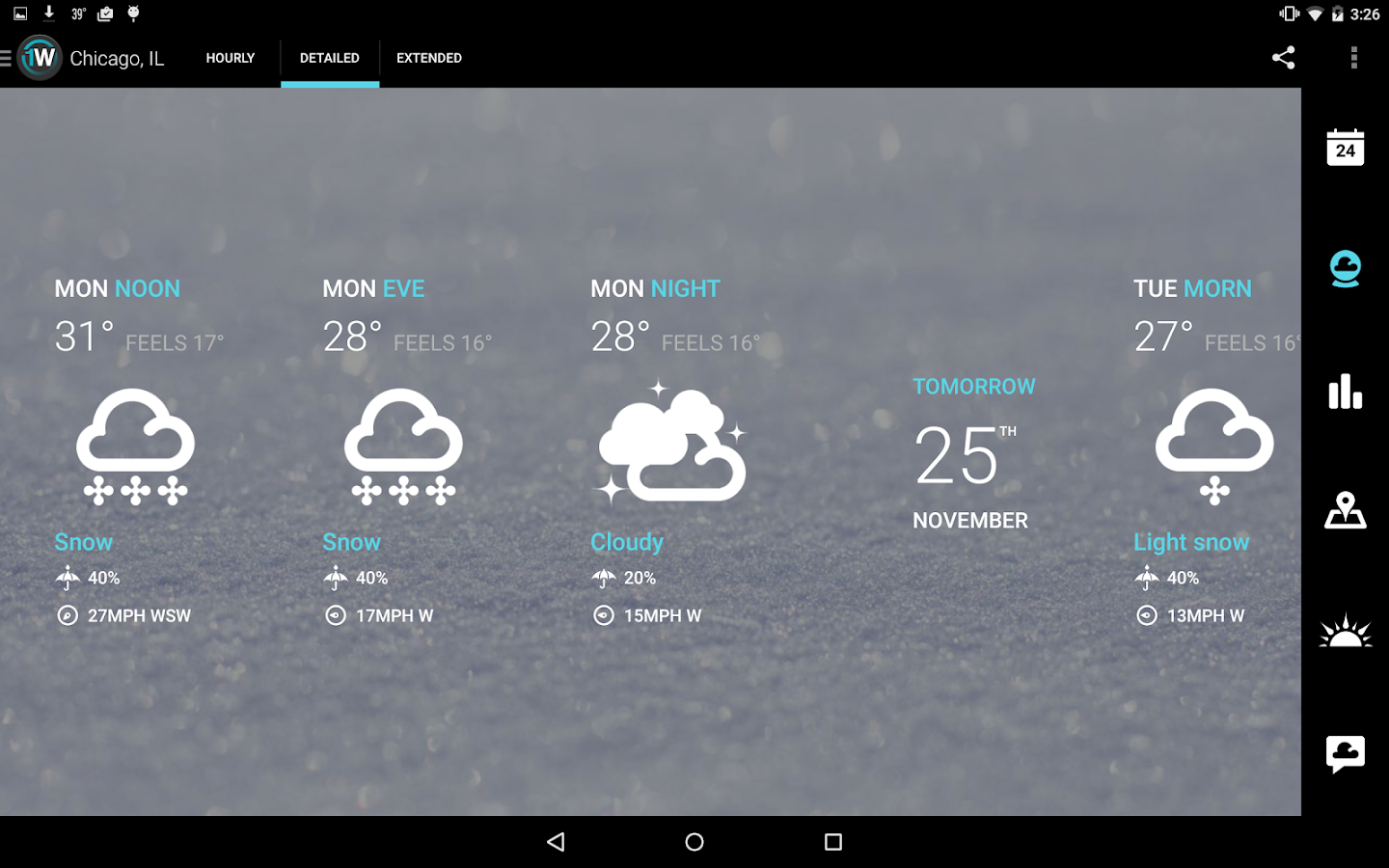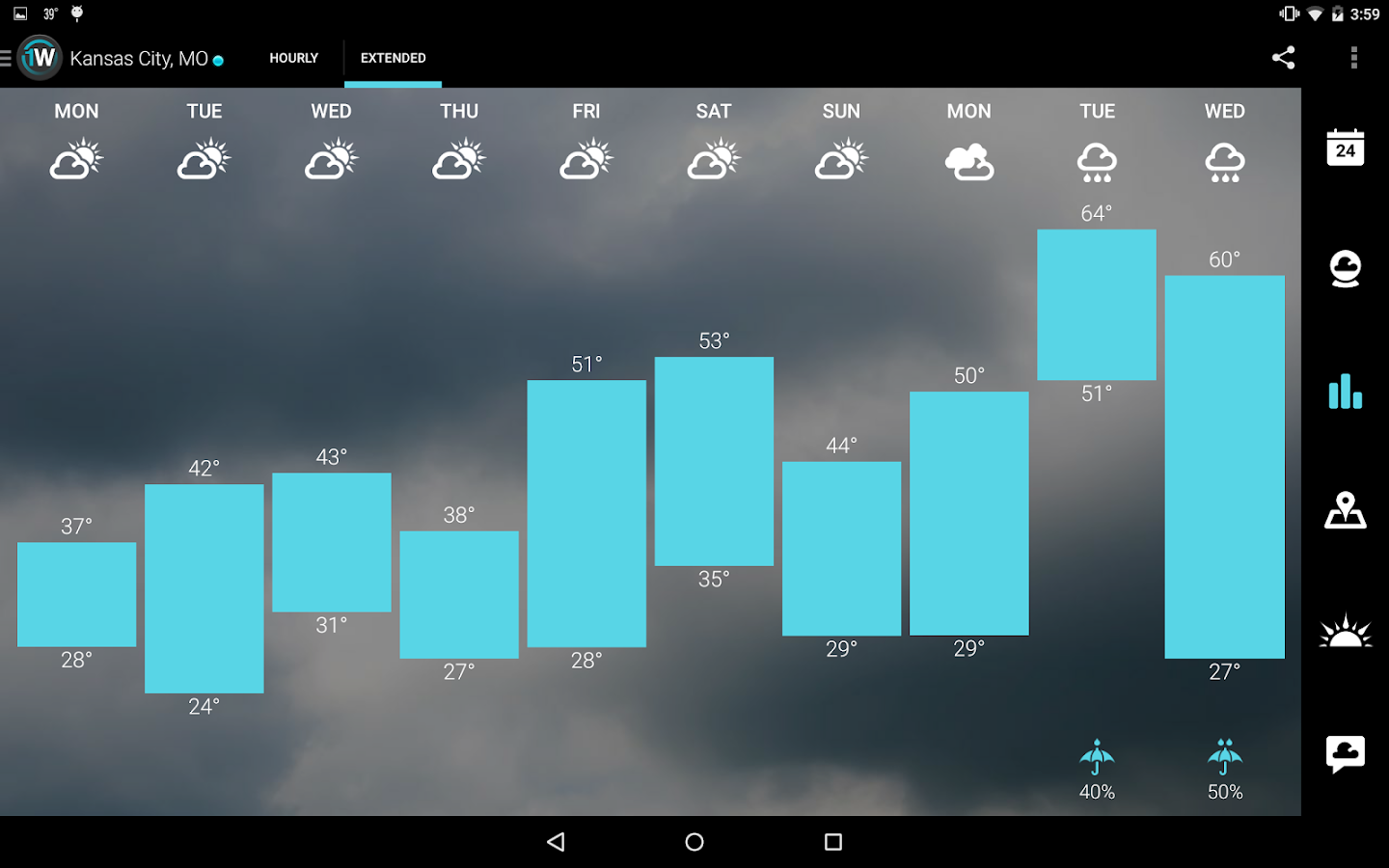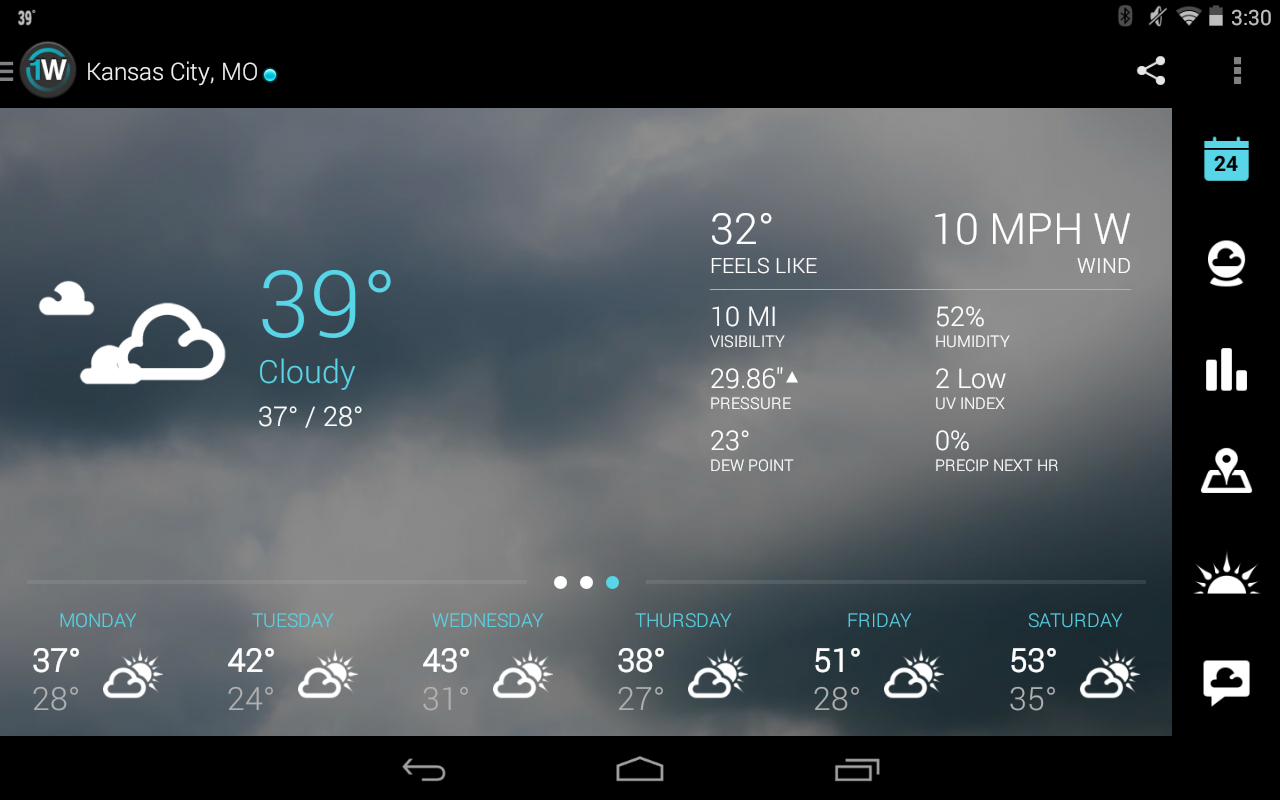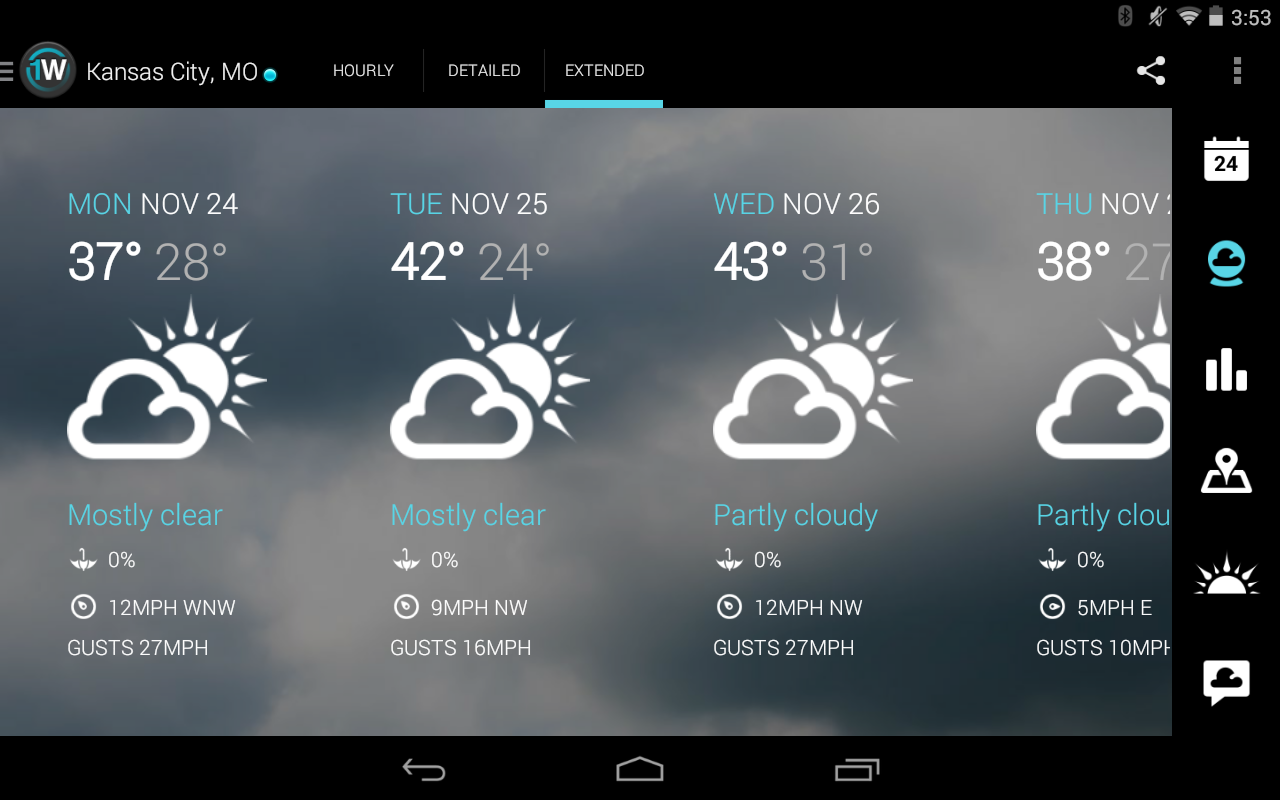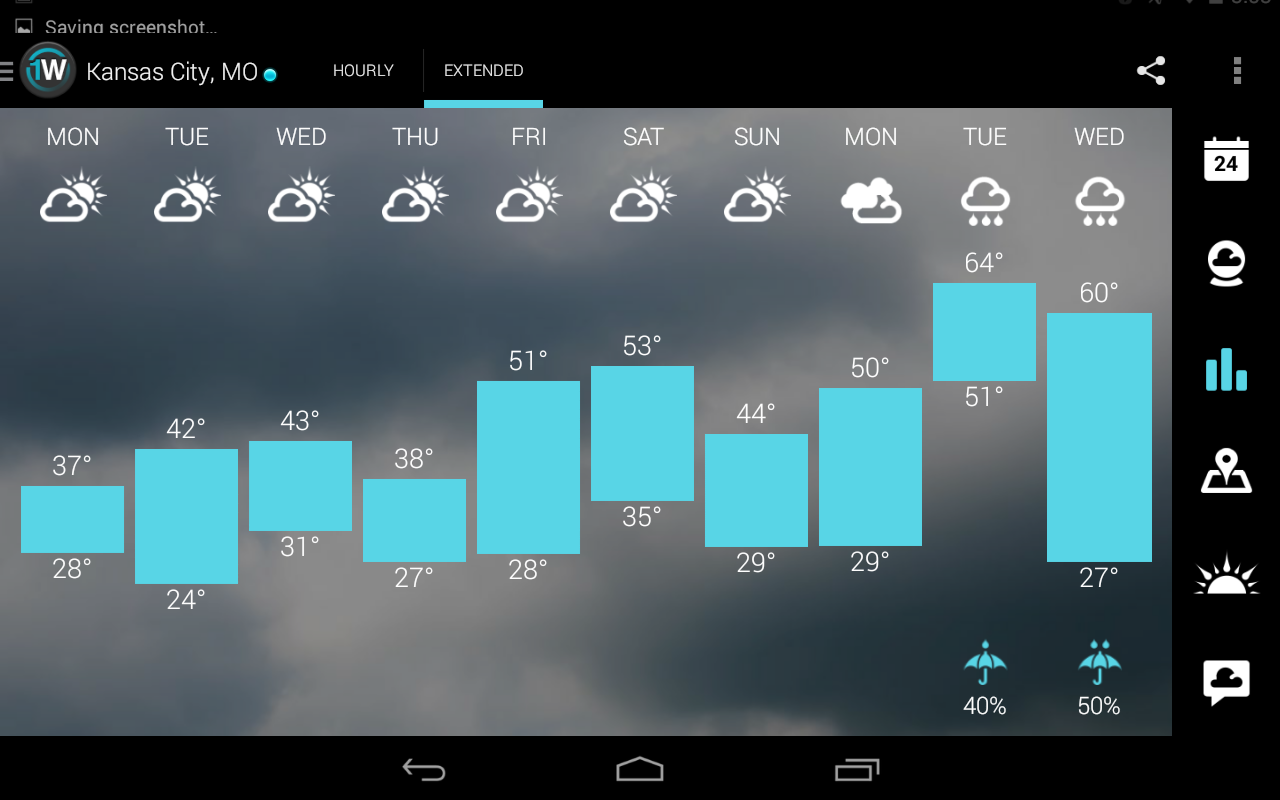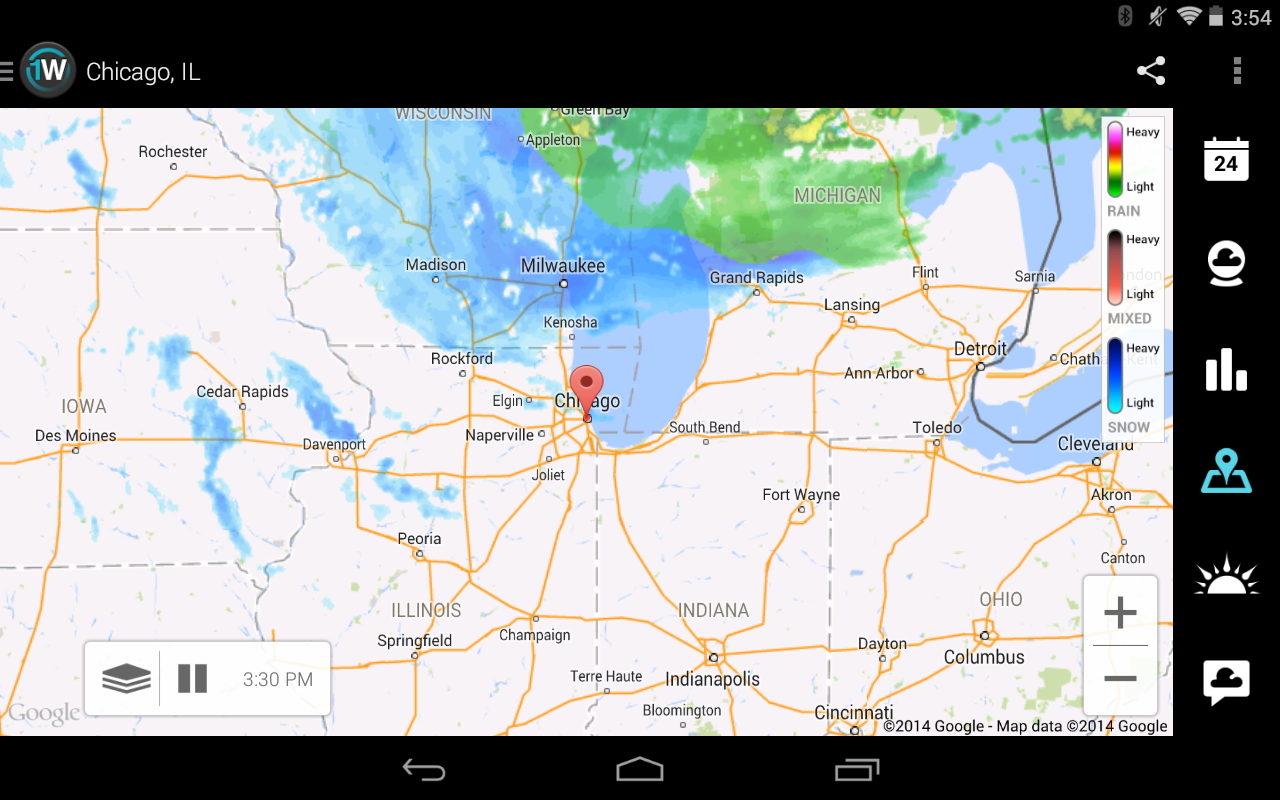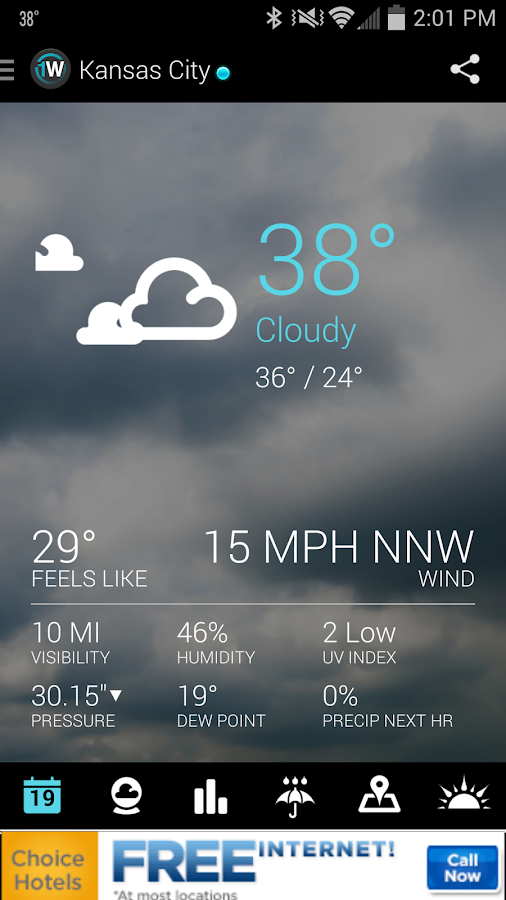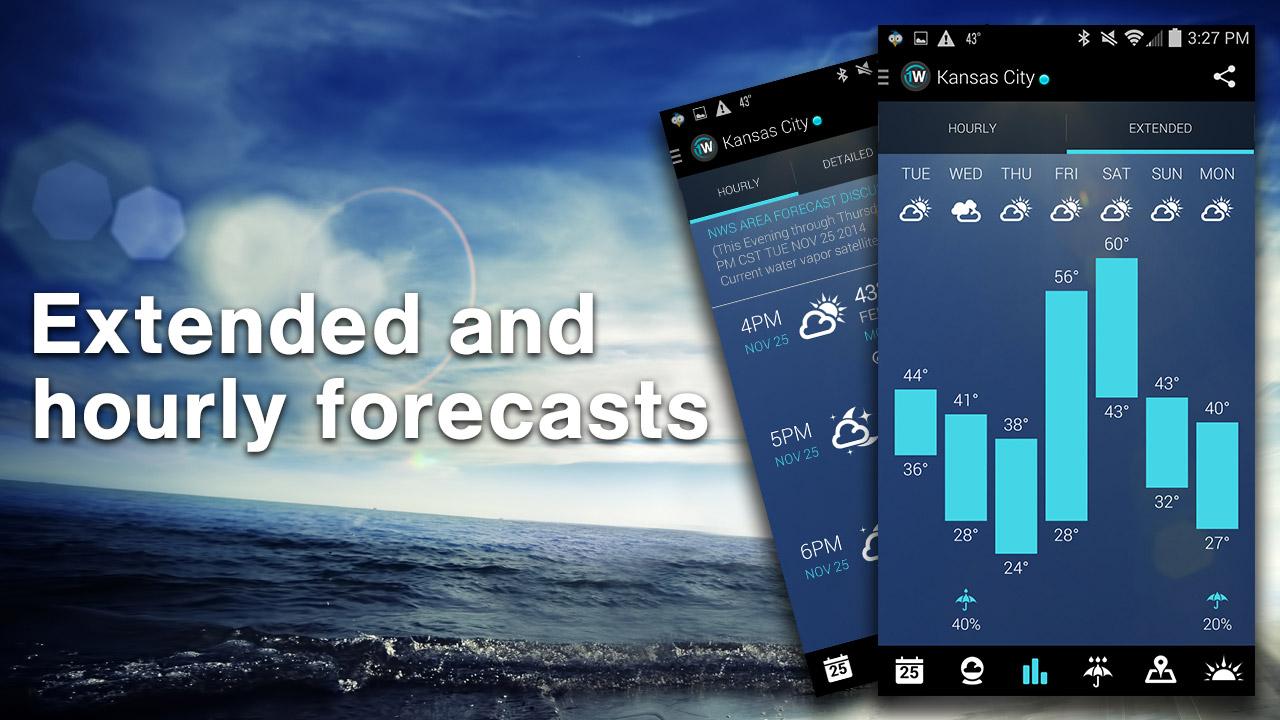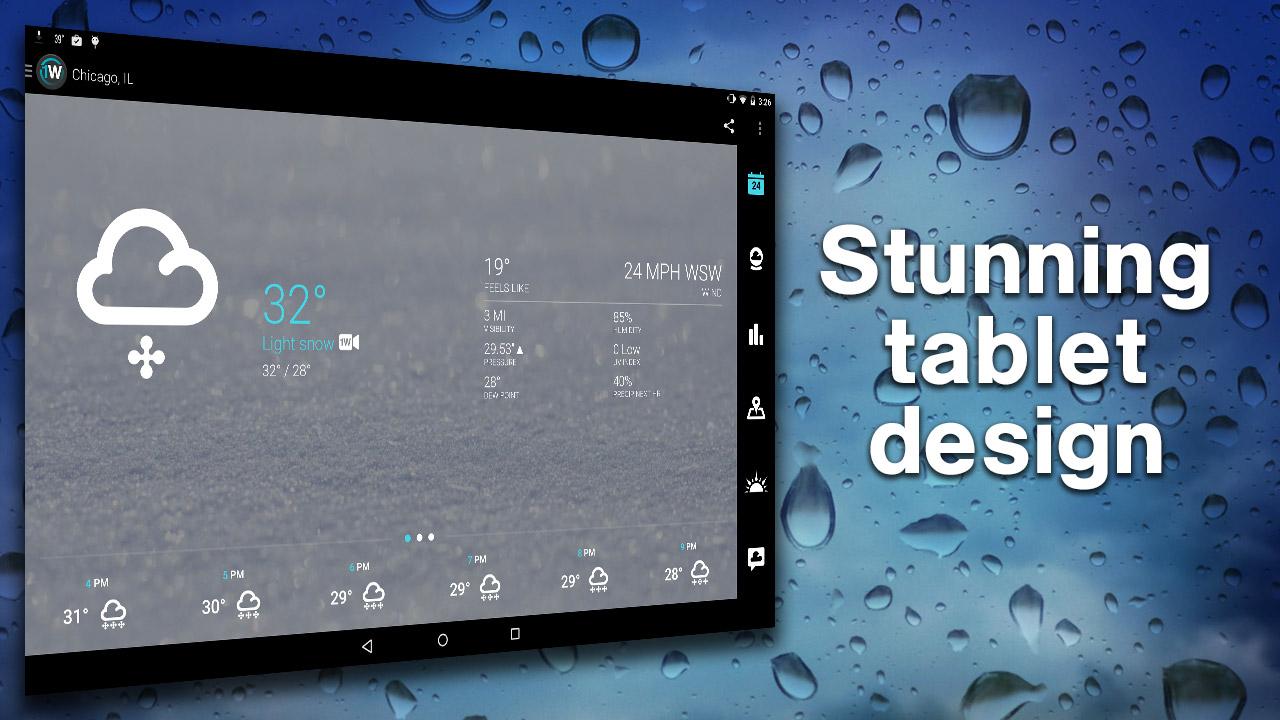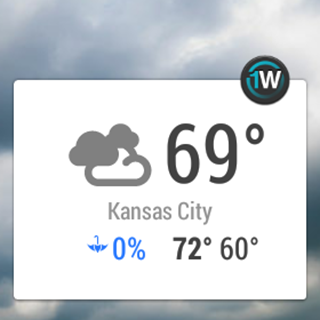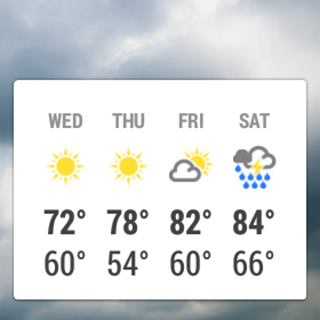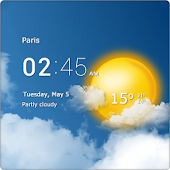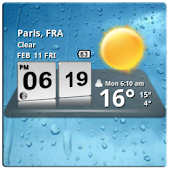

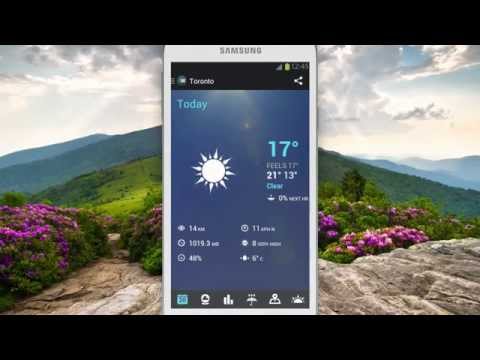
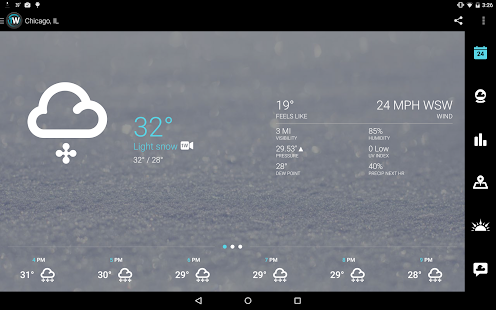
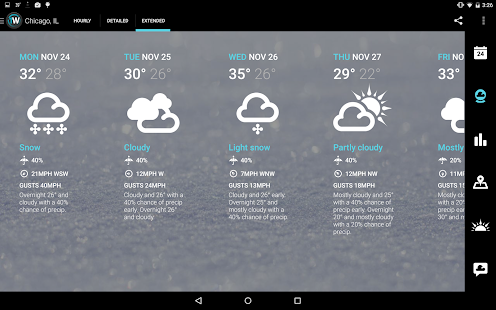
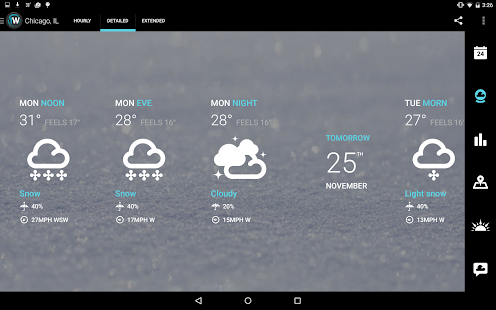
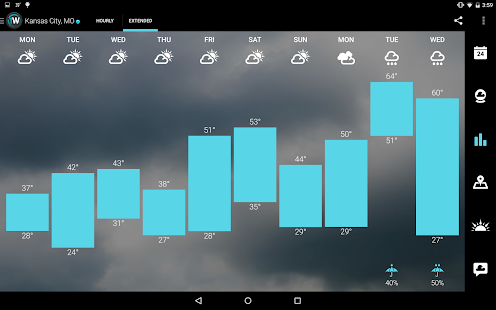
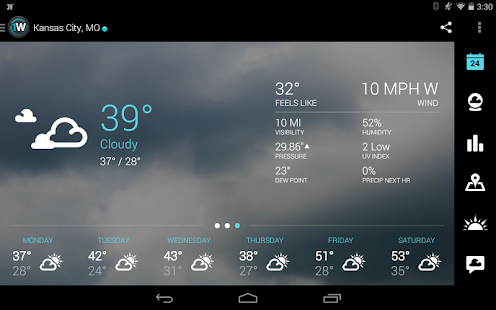
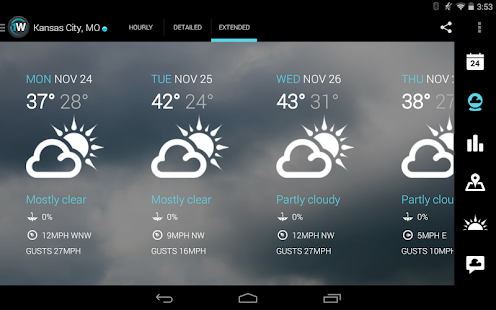
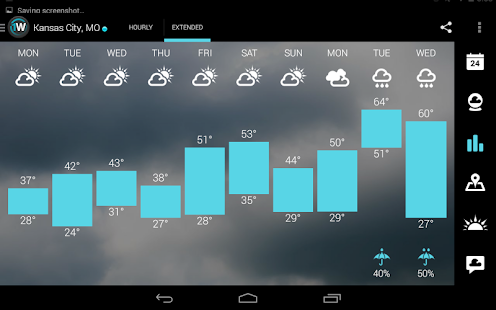
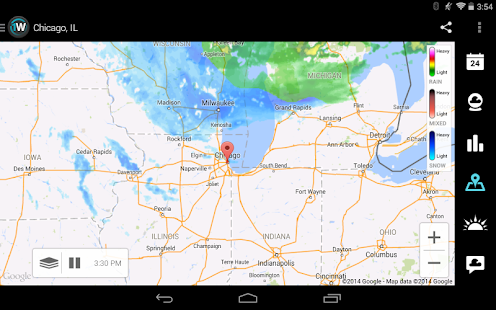
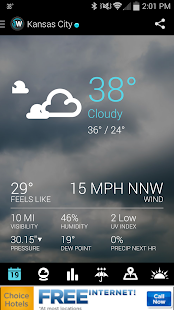
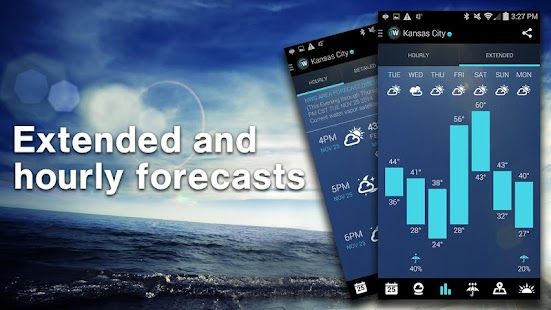
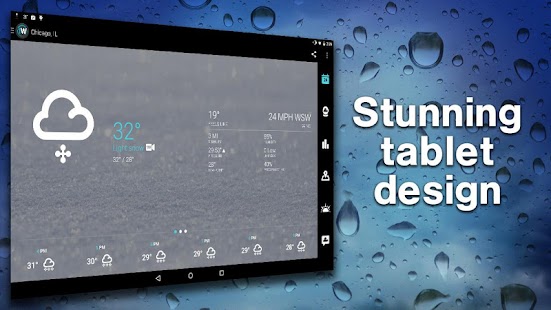
Why do they love it? In a word – Design. The app has a simple, yet beautiful interface that makes getting the weather elegant and fun. The groundbreaking UI, combined with a powerful set of weather tools, makes 1Weather the #1 choice.
REVIEW HIGHLIGHTS:
"#1 Best Weather App for Android” – Phandroid
“Top 25 apps you should download right now” – CNN Tech
"The Most Attractive, Feature-Packed Android Weather App We’ve Ever Seen" – Lifehacker
“The most beautiful weather app we’ve ever seen” – Android Police
FEATURES:
• Real-time local weather and forecasts worldwide (Current + 48-hour)
• 10-day extended forecast and precipitation info
• 36-hour and 7-day interactive charts
• Hourly forecast and precipitation info
• Live weather background, dynamic photo backgrounds (Dogs, cats, cars, sports and more!), or create your own custom background
• Follow my location – Your weather automatically updated whenever you are on the move
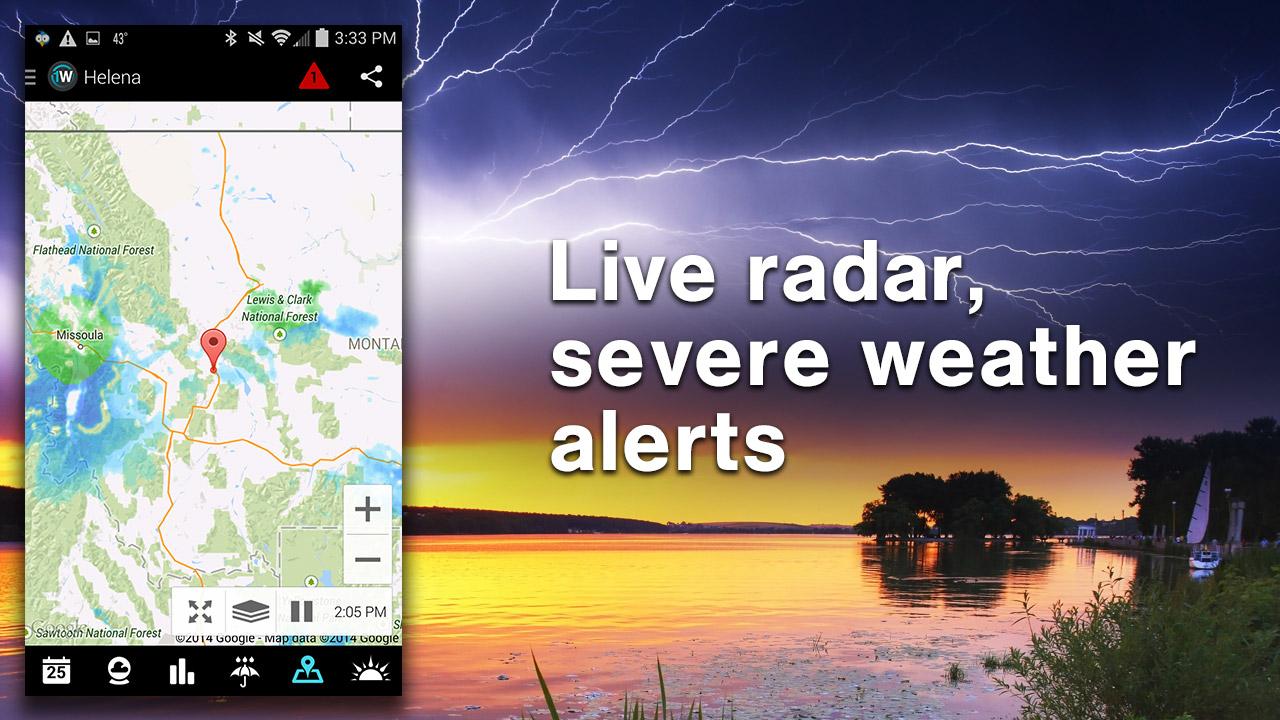
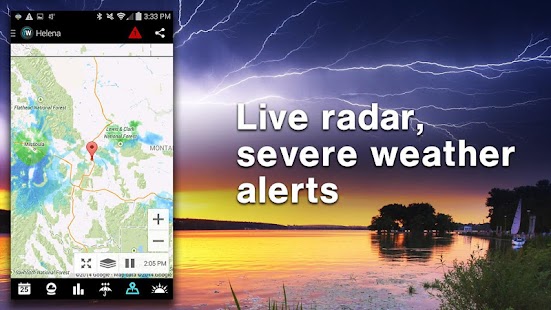
• LIVE animated radar plus severe weather layers including fire, flood, freezing, hurricane, ice, snow, tornados, wind, and winter (US only)
. Comprehensive map layers: radar, clouds, surface temperature, dew point, relative humidity, wind speed, and UV Index
• Animated sunrise, sunset, and Lunar phase
• Save multiple locations to access quickly and easily
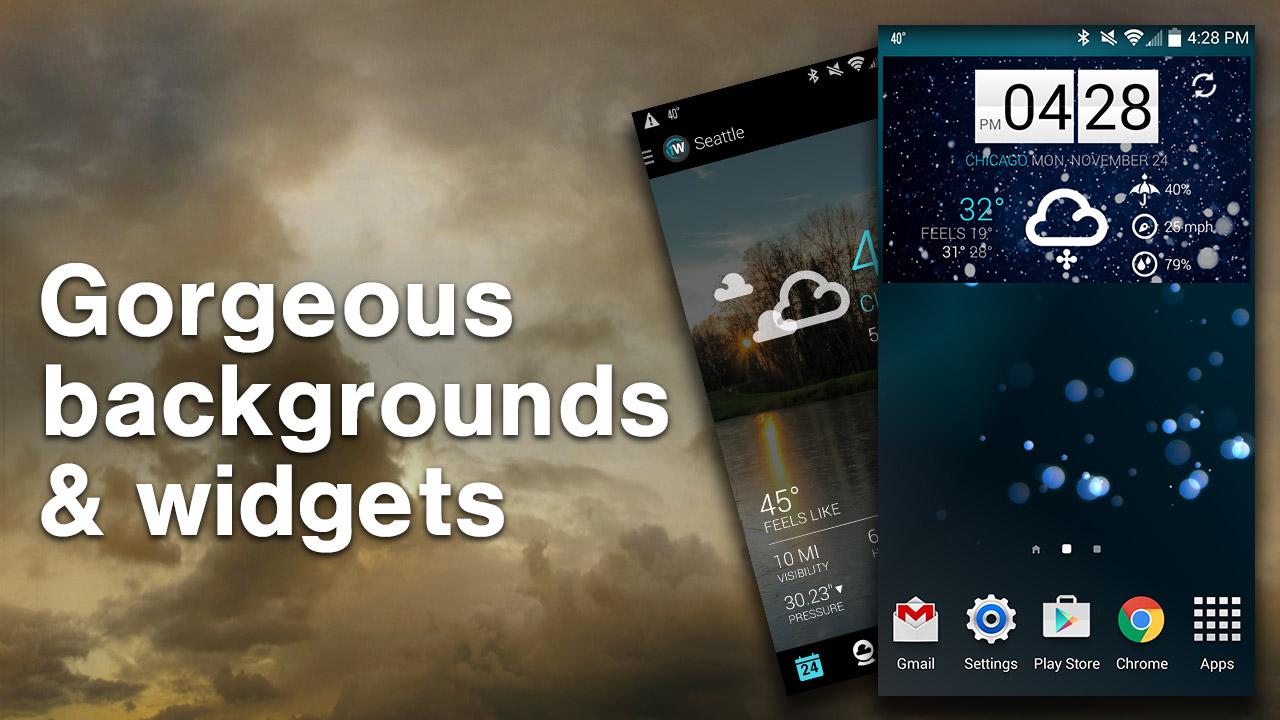
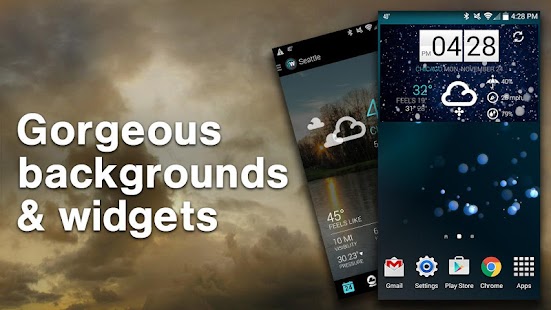
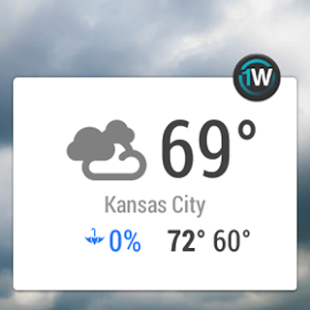
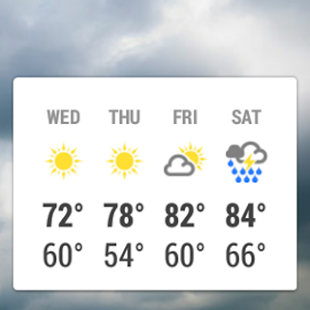
• Gorgeous reconfigurable home screen widgets, including 3 clock widgets
• Share weather information (including screenshots and alert text) with friends and family via email, text, Twitter, Facebook, Google+, etc.
• National Weather Service Area Forecast Discussion provides overview for your area from NWS meteorologists
• True server-based push alerts for NWS supported locations with configurable notification options by location and alert level (watches, warnings, advisories)
• Configurable Ongoing notification shows current conditions and adds temperature to your notification bar for dynamic “My Location” or a location of your choice.
• DashClock integration allowing you to select a location of your choice
• Daydream mode support (Android 4.2+)
• Android Wear support (Android 4.3+ / Requires Google Play Services 5.0+, just launch 1Weather and Current Conditions and Forecast will appear on your wearable device)
• More than 25 different languages available
• Customizable Units:
Temperature: Fahrenheit or Celsius
Wind: mph, kph, m/s, knots and Beaufort scale
Pressure: Inches of mercury, millibars, millimeters of mercury
Distance: Miles, Kilometers
• Interesting and educational weather facts and videos


For any questions or issues, please visit FAQ page at: http://www.devexpert.net/weather
* Android is a trademark of Google Inc.
The application features the following:
- Many widgets in different sizes (4x1, 4x2, 4x3 and 5x2)
- Resizable widgets
- Several widget skins to choose from
- Different weather icon skins
- Different fonts for the time
- Display the next alarm, next calendar event and week number on the widget (optional)
- 8 widget hotspots (most of them can be user defined to launch specific applications)
- Display available internal and external storage, free memory and WiFi or 3G state (optional)
- Automatic location (from cell/wifi or GPS) or manual
- Automatic weather update interval (15 min, 30 min, 1, 2, 4, 6, 8 hours) or manual
- Detailed weather forecast display that includes the following:
- Local time (for current location)
- Sunrise and sunset time for current location
- Humidity and wind conditions
- Current condition, temperature, low and high temperatures
- Last weather update time
- 4 day weather forecast
- Background according to the weather condition and day/night
- Optional display of the current moon phase
- World weather: Choose to display weather information for any number of different locations worldwide
The application is localized in the following languages:
Afrikaans, العربية, български, Català, 中文 (简体), 中文 (繁體), Hrvatski, Čeština, Dansk, Nederlands, Suomi, Français, Deutsch, Ελληνικά, עברית, Magyar, Bahasa Indonesia, Italiano, 한국어, Lietuvių, Polski, Português (Brazil), Português (Portugal), Română, русский, Cyrillic, Slovenčina, Español (Spain), Svenska, ไทย, Türkçe, Українська, Tiếng Việt
Please report any problems, suggestions or requests by e-mail.
• AccuWeather MinuteCast® – minute-by-minute precipitation forecasts for the next two hours hyper-localized to your exact street address or GPS location. Includes precipitation type and intensity, and start and end times for precipitation. Available for the contiguous United States, Canada, United Kingdom, Ireland, Japan, France, Germany, Belgium, Switzerland, Netherlands, Luxembourg, and a growing list of global locations.
• MinuteCast widget now available. Also available, homescreen widget displaying two-day forecasts with severe weather warnings for your GPS location and a time clock. Resizable, multi-location widgets also available with even more weather detail.
• For worldwide locations, when AccuWeather forecasts snow, ice, rain, wind, or the probability of thunderstorms, you’ll see an orange exclamation point displayed within the location’s current and 15-day screens.
• Push notifications for severe weather alerts in the United States.
• Radar for all of North America and Europe, and worldwide satellite overlaying interactive Google Maps™ with a snapshot view of the maps for your saved locations.
• Current news and weather videos, with many available in both English and Spanish.
• Social media sharing so you can share your location’s current conditions, hourly, or 15-day forecasts using the social media apps you have on your device.
You also get the accurate, local weather forecasts and customization you expect from AccuWeather:
• Accurate and local forecasts for every latitude/longitude on Earth. Forecasts update every 15 minutes with information for the next 15 days – all in 33 languages and dialects.
• Current weather conditions update every 15 minutes with the very latest humidity and precipitation percentages, dew point, visibility, UV index, wind speed gusts and direction, times for sunrise and sunset, and RealFeel® – AccuWeather’s exclusive weather forecasting system that analyzes multiple weather factors to determine how the local temperature actually feels.
• Local weather forecast summaries that provide an overview of the next five days’ weather forecast along with a description of the most dramatic weather event expected during the five days.
• Status bar on the homescreen displaying the current temperature for your current or home location.
• Ability to store an unlimited amount of locations.
• Choice between metric or imperial units, 12-hour or 24-hour time display, and portrait or landscape view.
Please note: Sunrise and sunset times are found in Daily Details which can be viewed by tapping on daily forecast. Also, AccuWeather Holo Dark and Light widgets display RealFeel® and occupy only the 4x1 space.
Download AccuWeather for free and experience the Superior Accuracy™ that comes from high-quality weather forecasting.
* 12/24 hour clock
* Color choice on some info displayed
* System Stats Information pop-up
* Battery icon on clock
* Week number in the hours tab, as an option
* for scheduling outdoor activities - Sunrise /Sunset times in the forecast screen,as an option in the configuration screen.
* for scheduling outdoor activities - Day length and hours left in the forecast screen,as an option in the configuration screen.
* Weather information with icon, current temperature and high low temperature for the day on the clock face.
* Detailed 4 day weather forecast screen with forecast temperature,high low temperature and condition description for each day.
* 2 Forecast layouts
Features the following hotspots:
tap bottom right->back to configuration screen
tap bottom left->Launch system information window
tap on weather icon->Launch weather forecast screen
tap Hour->launch anything!(set your own preference from configuration screen)
tap Min ->launch anything!(set your own preference from configuration screen)
Widgets on Android work a bit differently than a normal application. Unlike regular programs they don't just install themselves in the application tray so you have to add them manually. They will not open or launch.
Here's how to add a widget on your Android home screen.
STEPS HOW TO ADD A WIDGET
==========================
1.On your Android home screen, tap any blank or “empty” area with size 4x2 and hold down your finger.
2.An “Add to Home screen” window will pop up. From that window, tap “Widgets”.
3.You’ll be presented with a list of all the installed Widgets on your Android device.
4.Select the "3D Digital Weather Clock” to add to your home screen by tapping it.
Notes
=====
"Time frozen/not updating"-> taskiller killed the clock(exclude it from taskillers)
When phone starts, clock starts in less than a min too.
ROM users-> make sure the clock is NOT moved on SD card.
Widgets are not supposed to be on SD card. Move it back to the phone storage.
Weather hint: For world destinations with two words in the name, type in the box the words with a plus sign.
For example "Buenos Aires" type "Buenos+Aires",remember the "+" sign -no spaces, don't include the quotes.
Email problems/suggestions
Check our website for more help.
EXCLUDE IT FROM TASKILLERS!!!
Be polite, this is a free app :-)
VIDEO HOW TO ADD WIDGETS
http://www.youtube.com/watch?v=DpMLF9b2aTQ
Don’t just listen to us! Here’s what the experts are saying about the best weather app:
Gold Medal winner from Gizmodo’s best weather apps!
“Besides launching an impressive new look, a selection of social features have also been added to the application, radar maps are faster, and navigation has been enhanced. …” – App Advice
“… bright, crisp design and thoughtful layout. It packs a lot of information into not a lot of space, and a new social weather feature makes the service even more interactive … The Weather Channel is a deep dive into meteorological data...” – PC magazine
“One of the more intriguing new features is something The Weather Channel calls ‘Social Weather,’ … a native, Waze-like weather reporting service.” – TIME
"The Weather Channel app ... provides fast, accurate information.” – iDownloadBlog
THE WEATHER CHANNEL ON SOCIAL AND WEB:
Check us out at weather.com, like us on facebook.com/theweatherchannel, and follow us on Twitter @weatherchannel for the latest breaking news and for tracking severe weather. Your WEATHER™ wherever and whenever you want it.
FEEDBACK:
We love when you provide us with feedback. If you love our weather app, please rate, review, and +1 us in the Google Play Store. If you have questions or suggestions, please submit them to http://feedback.weather.com
PRIVACY POLICY:
You may be interested in our Privacy Policy, which can be found here: http://www.weather.com/common/home/privacy.html and our Terms of Use, which can be found here: http://www.weather.com/common/home/legal.html
Prepare for your day with the most accurate hourly, 5-day, and 10-day forecasts. Stunning Flickr photos match your location, time of day, and current conditions.
Favorite features
- Get all the details: wind, pressure, and chance of precipitation.
- See animated sunrise, sunset, wind, and pressure modules.
- Browse interactive maps: radar, satellite, heat, and snow.
- Track all your favorite cities and destinations!
Helpful tips
- Scroll down for detailed weather information.
- Tap the plus sign to add up to 20 cities.
- Swipe left-to-right to move between locations.
- Submit your photos to Yahoo Weather by joining #projectweather on Flickr.
Tell us what you think
We are committed to building the best mobile experiences and would love to hear your feedback.
Let us know your thoughts here: weather-app-support@yahoo-inc.com
Also you need to install Amber Weather Version 0.8 or above to use this widget.
The design was influenced by Samsung Galaxy and LG Optimus weather widget.
This widget skin design draws obvious inspiration from the KWeather widget known as realistic weather view widget and used as symbol of the Samsung Galaxy S, Galaxy Note and LG Optimus Smart Phone.
The Weather app is specifically designed to be as simple and intuitive as possible. With just one click you receive the weather condition in your status bar at your current location.
The climate state is gorgeously animated so that you can almost experience it, seeing how the weather comes alive.
The app is using Weather Underground as a data channel and the live updates are really tiny so that you would not use up your data cap.
FEATURES
- Weather supports geo-positioning, retrieving the latest weather conditions for your current location
- An option to manually add your location
- Add and track the weather conditions in multiple locations
- Weather is one of the most lightweight weather apps on Google Play!
- Animated weather conditions - see how the weather comes alive!
- Widgets for different locations
- Hourly and weekly forecasts
- Intuitive, seamless user interface
- Support for the lock screen widget in Android 4.2
- Weather benefits all known screen resolutions
- Offers quality support for Android devices - from Android 1.5 to Android 4.3
- Tap on the temperature to switch between Celsius and Fahrenheit
- You can allow and disable the notifications
- Choose by yourself what will be the next feature of Weather! Leave a comment or send us an e-mail and help us make Weather the best app of its kind.
Get in touch with us and follow the latest news regarding our apps:
http://www.facebook.com/macropinch
http://twitter.com/macropinch
Features:
- Supports geo-positioning , retrieving the latest weather conditions for your current location .
- Add and track the weather conditions in multiple locations .
- Powerful location search, searches for all cities in the world by country and city or zip code .
- Home screen widgets .
- Virtual visual experience as well as a smooth , impressive animation effects .
- Quick access has already been saved city.
- The offline cached .
- humidity , pressure , wind speed , high/low forecast .
- Animate background .
- Swipe to change city.
- Gorgeous and realistic animations of weather conditions
- See at a glance the next weather condition change
- Updated continuously
- Accurate hourly forecasts for the next 10 days
- Fast, beautiful and simple to use
- Detailed forecasts on rain, ice, snow, fog, wind, storm, dew point, UV index, humidity, pressure
- Highest and lowest historical values
- Satellite and radar map animations
- Optimized for both phones and tablets
- Live Wallpaper
- Weather in notification area and temperature in status bar
- Great widget for your home screen
And it’s all free.
Try it now !
Cities: New York, Los Angeles, Chicago, Houston, Philadelphia, Phoenix, San Antonio, San Diego, Dallas, San Jose, Austin and all the others!
Get access to the world’s largest network of professional weather and lightning sensors for the most accurate forecasts, the fastest severe weather alerts and more.
Only WeatherBug provides exclusive Spark™ lightning proximity alerts for your current and saved locations. Find out exactly how far away lightning is to you and stay safer!
Know Before with these useful features:
• Real-Time Pin-Point Forecasts – The industry’s most accurate current, extended and hourly weather forecasts for 2.6 million locations worldwide.
• Severe Weather Alerts – Minutes matter. Our exclusive Dangerous Thunderstorm Alerts (DTAs) provide you 50% faster warnings to severe weather than the competition. Plus, you get all National Weather Service (NWS) warnings and watches to stay informed of severe weather conditions at all your current and saved locations.
• Spark Alerts – Unique and beautiful, Spark turns your smartphone into a personal lightning detector. Get real-time, minute-by-minute, mile-by-mile lightning monitoring from the WeatherBug Total Lightning Network.
• Extended 10-Day Forecast – Weather happens. Get the most accurate extended forecast and Know Before 10 days ahead.
• Enhanced Interactive Maps – Enjoy our enhanced maps with multiple layers, such as Doppler radar, humidity, pressure, wind speed, high/low forecast, traffic, satellite imaging and more!
• Live Weather Cams – View live images from over 2,000 weather cameras across the U.S. to get a better picture of the weather at destinations near and far.
• Live Traffic Cams – Avoid traffic headaches. Our live traffic cams help you see driving conditions before you get jammed.
• Lifestyle Forecasts – Do I run outside or go to the gym? Should I cancel tomorrow's cookout? Our new Lifestyle Forecasts identify and analyze specific weather parameters to advise you how best to stay comfortable and have fun!
• Weekend/Weekday Section – Get helpful at-a-glance summaries of weekday and weekend weather!
• Know Before Messages - Messages will appear when we need to tell you something, from lightning in your area to new content.
• Photo Section & Albums – View amazing photos from WeatherBug users! Now categorized into albums, finding awesome photos has never been quicker or easier. Come see what others are sharing and enjoy the scenery.
• Photo Submission & Sharing – Snap, send & share. Send us your best photos and share your moments with millions of WeatherBug users.
• Spotlight section – Get “News of the Day” and other breaking weather stories from the WeatherBug Meteorology team to stay up-to-date on the weather around you.
• Hurricane Center – Get the latest news on hurricanes, investigate past hurricanes and track current hurricanes as they happen!
• Customizable Home Screen – Customize your home screen with newly added background themes and rearrange your live tiles to get the info that matters the most to you at-a-glance.
• Multiple Language Support – Get forecasts and alerts for your neighborhood and the world in Spanish and Portuguese!
• My Location – Automatically updates your weather information based on the closest weather station in your neighborhood through GPS.
• Multiple Saved Locations – Save all your locations without any restrictions.
Be prepared. Know Before™. Download the app used and loved by millions, voted the “Best Weather App Ever” and trusted as a “Best App for Moms”, WeatherBug!
Earth Networks, Taking the Pulse of the Planet®!
With free push notifications for weather alerts, Weather Underground is your essential app during severe weather events. Our interactive map (WunderMap) displays animated radar and satellite data to track storms, as well as providing specific map presets for tracking hurricanes and wildfires. Customize your experience by dragging and dropping the content modules on the main screen of the app
WHAT MAKES THIS WEATHER APP DIFFERENT TO OTHER APPS?
WE FILL IN THE GAPS
Our 33,000+ personal weather stations report the most localized weather conditions. The data that we collect from our user-owned weather stations fills in the gaps between the airport weather stations that other weather services rely upon to generate forecasts - meaning our data is generated from actual data points in your neighborhood.
INTERACTIVE WEATHER & RADAR MAP
The most interactive weather map (WunderMap) on mobile allows you to select from different weather overlays including current conditions from our personal weather station network, animated radar, satellite, webcams and severe weather. Customize the map by selecting specific data layers or choose from the various map presets such as severe alerts, fire risk, active fires, hurricane and webcams.
CROWD REPORTING
- Sky reports let you tell us if the sky conditions we’re reporting are what you're actually observing. If you see something different you can report the conditions you're experiencing for the benefit of other app users.
- Hazard reports allow you to report any hazardous road conditions you experience to help other people in your area.
ABOUT WEATHER UNDERGROUND
Founded in 1995 as the first online weather service, Weather Underground supplies weather data solutions to the many of the leading media companies and millions of users across the globe through their mobile apps and website wunderground.com. With over 30,000 personal weather stations worldwide, Weather Underground is able to provide meaningful and reliable weather data to people in real-time. Weather Underground is part of the Weather Company and based in San Francisco, California.
FEATURES
- Status notification: instantly view your current temperature and condition on the notification bar
- Current conditions from your local weather station include temperature, feels like temperatures, wind speed & direction, humidity, dew point, visibility, pressure, gusts and moon phase
- 10-day Forecasts including text summary
- Hourly Forecasts including sunrise and sunset
- Historical data
- Interactive Map showing all the personal weather stations in your neighborhood with animated radar, satellite, webcams and much more data
- List view of saved Favorite Locations and Recent Searches
- Crowd reporting feature empowers users to verify our data and send their own Sky Reports and Hazard Reports
- Twitter Integration – share weather data straight onto your Twitter handle and follow the latest weather trends on the Wunderground Twitter Feed
- Snow and Winter Sport reports
- Hazard Reports allow users to share dangerous road conditions in their area
- Share severe alerts with your friends and family
- Purchase ad free subscriptions for $1.99 per year
- New widgets: 1x1 and 2x2!
- Choose Light or Dark mode
- Customize your experience by sliding the weather information up and down
- Switch between Best Forecast™ & NWS Forecast
- Weather commentary from Dr Masters
- National Weather Service Radio
- 3 days weather forecast (simply click widget)
- Minimal
- Customizable
- Unique
- Based on openWeatherMap
You can unlock different icons to make your widget even more unique...oh, yes more grumpy
You can choose:
+ Grimmy the Reaper (the most popular!)
+ The Cat
+ Steve the dinosaur
+ Marvin the Yeti
+ Fred
+ Jack the bunny
+ Brian the deadone
+ Blob
+ more to come...stay tuned!
There is: The Weather Channel app, WeatherBug, AccuWeather, WeatherPro or Yahoo Weather but all of them are so serious! Let's have some fun.
IMPORTANT!
This is WIDGET. You will not find it on applications list but on widget's list on your phone!
Only screenshots are censored, widget itself is not, so if you don't like it, just don't install the widget.
Widgets are only available if application is installed on the internal storage of your device. If you can't find Grumpy weather widget in the list of available widgets, make sure you haven't installed on the external storage!
The widget features the following:
- 3 widget sizes, 4x1, 4x2 and 5x2
- Flip animation
- Several widget skins to choose from
- Different weather icon skins
- Different fonts for the time
- Display the next alarm, next calendar event and week number on the widget (optional)
- Several widget hotspots (most of them can be user defined to launch specific applications)
- Automatic location (from cell/wifi or GPS) or manual
- Automatic weather update interval (15 min, 30 min, 1, 2, 4, 6, 8 hours) or manual
- Detailed current weather forecast display that includes the following:
- Local time (for current location)
- Sunrise and sunset time for current location
- Humidity, pressure, chance of rain, dew point, visibility, UV index and wind conditions
- Current condition, temperature, low and high temperatures
- Last weather update time
- Background according to the weather condition and day/night
- Optional display of the current moon phase
- 24 hourly weather forecast
- 24 hourly wind forecast
- 7 day future forecast
- Future forecast details (sunrise, sunset, moon phase, wind, humidity and chance of rain
- World weather: Choose to display weather information for any number of different locations worldwide
The application is localized in the following languages:
Afrikaans, العربية, български, Català, 中文(简体), Hrvatski, Čeština, Dansk, Nederlands, Suomi, Français, Deutsch, Ελληνικά, עברית, Magyar, Bahasa Indonesia, Italiano, 한국어, Lietuvių, Polski, Português (Brazil), Português (Portugal), Română, русский, Cyrillic, Slovenčina, Español (Spain), Svenska, ไทย, Türkçe, Українська, Tiếng Việt
Please report any problems, suggestions or requests via e-mail
Hourly detailed forecast for today and tomorrow, detailed forecast every 3 hours during the rest of the week as well as a prediction for the next week.
Very complete and easy application.
Multiple weather variables are available:
- Prediction symbol
- Maximum temperatures, daily minimum and hourly current temperature and wind chill.
- Wind speed and direction, including maximum gusts.
- Expected rain.
- Cloudiness
- Snow line.
- Relative humidity.
- etc.
It also provides additional relevant information as the sunrise/sunset and moon phase (including the moonrise/moonset and lighting rate)
You can also check our animated prediction maps that provide precipitations, temperature, pressure, snow, etc.. besides from multiple satellite images and rain radar.
And you can also view a nationwide map of weather risk alerts easily interpretable according to risk level.
In addition, you can add a weather widget to see your city forecast to five days directly on your device screen, with optional time and weather forecasting widget.
This application is fully optimized for both smartphones and tablets.
Features:
- Provides current weather condition and 5-Day weather forecast
- Powerful location search, searches for all cities in the world by country and city or zip code
- Home screen widgets
- Supports geo-positioning, retrieving the latest weather conditions for your current location
- Add and track the weather conditions in multiple locations.
- Animated weather conditions.
- Can access tens of thousands of cities around the world.
- Information available in different units.
- The offline can view cached weather.
- Automatic or manual update of data
- Humidity and wind conditions
- Current condition, temperature, low and high temperatures
***2013 Webby Award Nominee***
"Top 25 Best Free Android Apps" - Mashable
“This is the absolute best looking Reddit app around.” –Android Police
“BaconReader Is A Great New Reddit App For Android” –Addictive Tips
BaconReader is tailored to the most experienced redditors and the newest redditors alike, making reddit so simple to use with instant access to news and post links, pics, comments, and everything else reddit.
With features like subreddit grouping, keyword and domain filtering, and immediate picture uploading, you’ve got all things reddit in one easy and delicious place: BaconReader.
Follow us at r/BaconReader for the latest and upcoming BaconReader updates and features.
Current Features/Benefits:
* Jelly Bean compatibility with expandable notifications and other Jelly Bean features
* Complete tutorial guide to reddit, for new and experienced redditors
* FULL Screen mode
* Tablet optimized design
* Sharp, ICS inspired design, with easier reddit navigation and more sorting options
* Full user profile support
* Color coded comment threads
* Full featured reddit inbox
* Rageface and look of disapproval support
* Easy access to subreddits using the subreddit sidebar with long-press
* Search for new subreddits based on name or keyword and subscribe to them
* Please let us help you with BaconReader or reddit bugs or problems by contacting our support team at support@onelouder.com.
Features:
* Multiple Twitter Accounts – Manage and easily post to multiple Twitter accounts
* Facebook – Simultaneously post to Twitter and Facebook
* Notifications – Get notified of new tweets, mentions, messages, or by specific user. Notifications are expandable and actionable on Android 4.1+
* Photo Effects – Add cool filters, effects and captions to photos, as you upload them
* Zip It – Zip annoying tweeters or keywords from your timeline without unfollowing
* Widgets – multiple widgets, including one that is scrollable and sizeable (Android 3.0+)!
* Themes – Twelve vibrant, colorful themes
* Smart Filter – Filter your timeline to look only at tweets with photos, links, videos, or hide retweets or replies
* Search Party – How Twitter search was meant to be! Lets you search just your own timeline, someone else’s, or all of Twitter.
* Smart Lists – The best way to use Twitter Lists, including robust list management and viewing tools
* My Stats – Up-to-the-minute tally of stats includes Most Retweeted, Most Mentioned, Most Favorited, & many more
* Photo previews – View previews and open photos from most image services, including Instagram
* Speak Tweets – Tap microphone on New Tweet screen to speak instead of typing
* Schedule Tweets – Compose a tweet and send later or send to Buffer
* Read Later – Save links to read/view later using Pocket, Instapaper, or Readability
* Streaming – Tweets are streaming in real-time when connect via WiFi
* Readability – View links in Readability mode for a mobile-optimized view
* Color Code Tweets –Color code your Tweets and mentions
* Long Tweets – Use Twitlonger to tweet over 140 characters
* Who to Follow – Suggests people to follow
What People are Saying:
“Nicely designed… Colorful but clean.” – CNET
“Contender for best Twitter app. 5/5 bars.” – Appolicious
“Excellent Twitter client.” – TUAW
“This is the best Twitter app I've found. Very easy to use and very beautiful.” – Che, TweetCaster User (v6.8)
Current Features/Benefits:
• Simplify your shopping experience with Eureka. Find offers on your favorite products en route, and redeem them instantly.
• Eureka users can view deals and locate the nearest merchant where the offer is accepted. You can navigate, read reviews and ratings, and see the phone numbers and web address.
• You can save or share your favorite offers with your friends and family.
• Eureka is more than just an offers app. Why carry store cards when you can scan & load them in your mobile phone, providing a seamless shopping experience?
• Save time and money with Eureka by storing relevant offers in your saved offer drawer, allowing you easy access to the best offers, anytime, anywhere.
• Eureka users can create lists for virtually anything they want…shopping, vacation, to-do’s, etc. Search for coupons related to the items on your list and save on the things that you want/need. Eureka allows user to link their loyalty cards to their list to provide ease of shopping and rewards collection.
Your MUST have bathroom news accessory, BaconReader will keep you more regular than fiber!
The EASIEST Way to Reddit is now the ONLY reddit app with a "Redditorial" guide to the front page of the internet! Now with a NEW SLIDESHOW MODE in addition to our simple list view, enjoy your news however you want it!!!
“This is the absolute best looking Reddit app around.” –Android Police
“…brings a lot to the table in terms of functionality and usability.” –Droid Life
“BaconReader Is A Great New Reddit App For Android” –Addictive Tips
BaconReader is tailored to the most experienced redditors and the newest redditors alike, making reddit so simple to use with instant access to news and post links, pics, comments, and everything else reddit.
With features like subreddit grouping, keyword and domain filtering, and immediate picture uploading, you’ve got all things reddit in one easy and delicious place: BaconReader.
Follow us at r/BaconReader for the latest and upcoming BaconReader updates and features.
Current Features/Benefits:
* Jelly Bean compatibility with expandable notifications and other Jelly Bean features
* Complete tutorial guide to reddit, for new and experienced redditors
* FULL Screen mode
* Tablet optimized design
* Sharp, ICS inspired design, with easier reddit navigation and more sorting options
* Full user profile support
* Color coded comment threads
* Full featured reddit inbox
* Rageface and look of disapproval support
* Easy access to subreddits using the subreddit sidebar with long-press
* Search for new subreddits based on name or keyword and subscribe to them
* Please let us help you with BaconReader or reddit bugs or problems by contacting our support team at support@onelouder.com.
Features:
* Multiple Twitter Accounts – Manage and easily post to multiple Twitter accounts
* Facebook – Simultaneously post to Twitter and Facebook
* Notifications – Get notified of new tweets, mentions, messages, or by specific user. Notifications are expandable and actionable on Android 4.1+
* Photo Effects – Add cool filters, effects and captions to photos, as you upload them
* Zip It – Zip annoying tweeters or keywords from your timeline without unfollowing
* Widgets – multiple widgets, including one that is scrollable and sizeable (Android 3.0+)!
* Themes – Twelve vibrant, colorful themes
* Smart Filter – Filter your timeline to look only at tweets with photos, links, videos, or hide retweets or replies
* Search Party – How Twitter search was meant to be! Lets you search just your own timeline, someone else’s, or all of Twitter.
* Smart Lists – The best way to use Twitter Lists, including robust list management and viewing tools
* My Stats – Up-to-the-minute tally of stats includes Most Retweeted, Most Mentioned, Most Favorited, & many more
* Photo previews – View previews and open photos from most image services, including Instagram
* Speak Tweets – Tap microphone on New Tweet screen to speak instead of typing
* Schedule Tweets – Compose a tweet and send later or send to Buffer
* Read Later – Save links to read/view later using Pocket, Instapaper, or Readability
* Streaming – Tweets are streaming in real-time when connect via WiFi
* Readability – View links in Readability mode for a mobile-optimized view
* Color Code Tweets –Color code your Tweets and mentions
* Long Tweets – Use Twitlonger to tweet over 140 characters
* Who to Follow – Suggests people to follow
What People are Saying:
“Nicely designed… Colorful but clean.” – CNET
“Contender for best Twitter app. 5/5 bars.” – Appolicious
“Excellent Twitter client.” – TUAW
“This is the best Twitter app I've found. Very easy to use and very beautiful.” – Che, TweetCaster User (v6.8)
Photo Effects Plugin by Aviary provides hundreds of filters, effects and enhancements options for your Twitter and Facebook photos. WIth this plugin, you can now apply these effects directly from within Friendcaster, TweetCaster or Slices and publish in seconds.
Features include:
+ Apply a variety of Photo Effects
+ Auto-Enhance: fix any photo with one click!
+ Crop, Flip, Rotate
+ Sharpen and Blur
+ Redeye Removal
+ Adjust Colors and Saturation
+ Adjust Brightness and Contrast
+ Teeth Whitening... seriously, no kidding.
+ Draw On Your Photos
+ Apply Text
+ Stickers!
+ Meme Generator
+ And Much More
** NOTE: You must have the latest version of Friendcaster, TweetCaster, or Slices installed in order to use this plugin. After taking a photo or selecting a photo you can edit the photo which will launch the plugin with all it's features **
Simple, attractive and easy to use, 1Toolbox is perfect for travel, out on the town, or around the house. Utilities include:
- Flashlight: Ultra-bright flashlight with stream, strobe, and quick strobe modes. Convenient “View Through” feature allows you to look through the camera lens while the flashlight is on; perfect for menus at dimly lit restaurants or finding keyholes in the dark.
- Calculator: All the basic functions you need in a calculator – add subtract, multiply, divide, plus a memory that allows you to quickly recall previous equations for review, or to start new equations that can either append or replace the current expression.
- Tip Calculator: Did you leave enough tip? Did you pay your fair share? Never wonder again with this handy tip calculator. Simply enter the bill amount and then enter the desired tip percentage and number of people in your party to get tip total and your percentage of the total bill.
- Clock: Simple, clean, and classic, the Clock can be displayed either vertically or horizontally and has three brightness settings to accommodate different lighting conditions. Ideal for your nightstand.
- Alarm: The 1Toolbox Alarm integrates with the Clock. Accommodates multiple recurring alarms. Customize whether you want the alarm for every day, or only on the days that you choose. Use Monday-Friday as an alarm clock or make weekly alarms for staying on time for standing appointments like soccer practice and piano lessons.
- Timer: Features stop/start/reset/restart functionality and customizable “time’s up” sounds. Whether you’re in the kitchen or at the gym you’ll find many uses for this easy-to-use timer.
- Stopwatch: Multi-event stopwatch with start/pause/reset and lap features. Simple design allows for easy one-handed operation. A myriad of uses.
Your favorite pictures are mixed in with the dark, blurry and out of focus pictures that you don’t need, but don’t take the time to delete.
photosifter is your new best friend. The app provides a fun and easy way to clean out and manage your digital photos, leaving you feeling organized and rejuvenated.
Your scattered photos display on your phone and you'll delight in discovering long forgotten gems as you sort through images in the app. Launch photosifter anytime and organize during the spare moments of your day , or set up photosifter for your lockscreen and you not only get a unique live wallpaper, but can sort a new image every time you unlock your phone.
You can sift through all the photos on your device, photos in specific folders, or even from external services like Dropbox and Google+. Photos are sifted into “keep” and “trash” categories at their original sources where you can then decide whether to keep or permanently delete them.
Features and Benefits:
• Sift through hundreds or even thousands of photos and free up valuable device storage space
• Share your favorite photos via email or socially to sites like Facebook and Twitter
• Organize your photos for easier access
• Lockscreen feature lets you organize with every unlock
• Enjoy slideshows of your sifted photos
• Dropbox and Google+ integration
Express News instantly connects you to the latest news, pictures, commentary, blogs, and syndicated columns and lets you access all the dynamic content the mobile web has to offer without the hassle of a browser. With categories featuring top providers including Time, Inc., AOL, The Huffington Post, and more, there’s always something new to read and discover in Express News.
Features/Benefits:
• Express News offers lightning fast loading speed no mobile browser can match.
• Vivid, image-based UI allows for easy navigation and simplified viewing.
• New compact view allows you to browse headlines only (no images).
• Adjustable font sizes range from small to extra large for your reading comfort.
• Share your favorite stories/images with your friends and family via Facebook, Twitter, Email, and Messaging.
• Personalize your Express News favorites to make the experience uniquely yours.
• Categories include What’s Hot, Business, Travel, Tech, Sports, News, Entertainment, Fashion, Lifestyle, Food, and HuffPost Voices. Content is arranged by popularity with the most shared articles rising to the top.
• Express News features content from top publications and delivers the very latest information directly to your smartphone or tablet…Express News is the ticket.
Top quality content from premier providers including:
Time Inc.:
-Time
-Sports Illustrated
-Entertainment Weekly
-People
-Fortune
-Money
-InStyle
-Real Simple
-Cooking Light
-Southern Living
-Golf
-People StyleWatch
-Essence
-Health
-This Old House
-Coastal Living
-Sunset
-My Recipes
-All You
AOL:
-AOL Jobs
-Autoblog
-Cambio
-DailyFinance
-engadget
-joystiq
-Kitchen Daily
-StyleList
-TechCrunch
-TUAW
The Huffington Post:
-OWN
-TEDWeekends
-HuffPost Voices: Women, Black, Latino, Gay, Religion, College, Teen, Impact, 50
-HuffPost Arts & Culture
-HuffPost Business
-HuffPost Code
-HuffPost Education
-HuffPost Entertainment
-HuffPost Food
-HuffPost Parents
-HuffPost Politics
-HuffPost Money
-HuffPost TV
-HuffPost World
And many more!
Your $10 goes to support this great cause and gets you get a distinctive Pink version of TweetCaster Pro (ads-free) app. TweetCaster Pink has a gorgeous look with an intuitive interface that makes it super easy to use while packing in tons of features. TweetCaster has been highly praised by users and reviewers.
Features:
* Distinctive Pink theme (phone only)
* Ability to dedicate your download to someone by sending a customized tweet
* Multiple Twitter Accounts – Manage and easily post to multiple Twitter accounts
* Facebook – Simultaneously post to Twitter and Facebook
* Notifications – Get notified of new tweets, mentions, messages, or by specific user. Notifications are expandable and actionable on Android 4.1+
* Photo Effects – Add cool filters, effects and captions to photos, as you upload them
* Zip It – Zip annoying tweeters or keywords from your timeline without unfollowing
* Widgets – multiple widgets, including one that is scrollable and sizeable (Android 3.0+)!
* Themes – Twelve additional vibrant, colorful themes
* Smart Filter – Filter your timeline to look only at tweets with photos, links, videos, or hide retweets or replies
* Search Party – How Twitter search was meant to be! Lets you search just your own timeline, someone else’s, or all of Twitter.
* Smart Lists – The best way to use Twitter Lists, including robust list management and viewing tools
* My Stats – Up-to-the-minute tally of stats includes Most Retweeted, Most Mentioned, Most Favorited, & many more
* Photo previews – View previews and open photos from most image services, including Instagram
* Speak Tweets – Tap microphone on New Tweet screen to speak instead of typing
* Schedule Tweets – Compose a tweet and send later or send to Buffer
* Read Later – Save links to read/view later using Pocket, Instapaper, or Readability
* Streaming – Tweets are streaming in real-time when connect via WiFi
* Readability – View links in Readability mode for a mobile-optimized view
* Color Code Tweets –Color code your Tweets and mentions
* Long Tweets – Use Twitlonger to tweet over 140 characters
* Who to Follow – Suggests people to follow
What People are Saying:
“Nicely designed… Colorful but clean.” – CNET
“Contender for best Twitter app. 5/5 bars.” – Appolicious
“Excellent Twitter client.” – TUAW
“This is the best Twitter app I've found. Very easy to use and very beautiful.” – Che, TweetCaster User (v6.8)